Error Handler Triggers
An error-handler Trigger invokes a server function when a matching function fails. The destination function receives a single error object, not the three-arg Event shape used by webhook Triggers and Jobs.
Use this when you need always-on handling without keeping an SDK client connected. In-process listeners: errorHandler Module. Concept page: Events and Triggers.
You cannot point the trigger at the same function that failed.
Getting Started
To manage triggers on PolyAPI, head to this path on your instance:
/canopy/polyui/login
For example, on na1, the path would be:
https://na1.polyapi.io/canopy/polyui/login
Enter your api key to login and let’s begin!
Note
You must have the “Manage Triggers” permission to manage triggers.
Please contact your tenant administrator or support@polyapi.io if you need these permissions added!
Create an Error Handler Trigger
Click “Triggers” in the sidebar. Then click “+ Create”.
Now, select the “Error Handler” bubble under the Name field, you should see a screen like this:
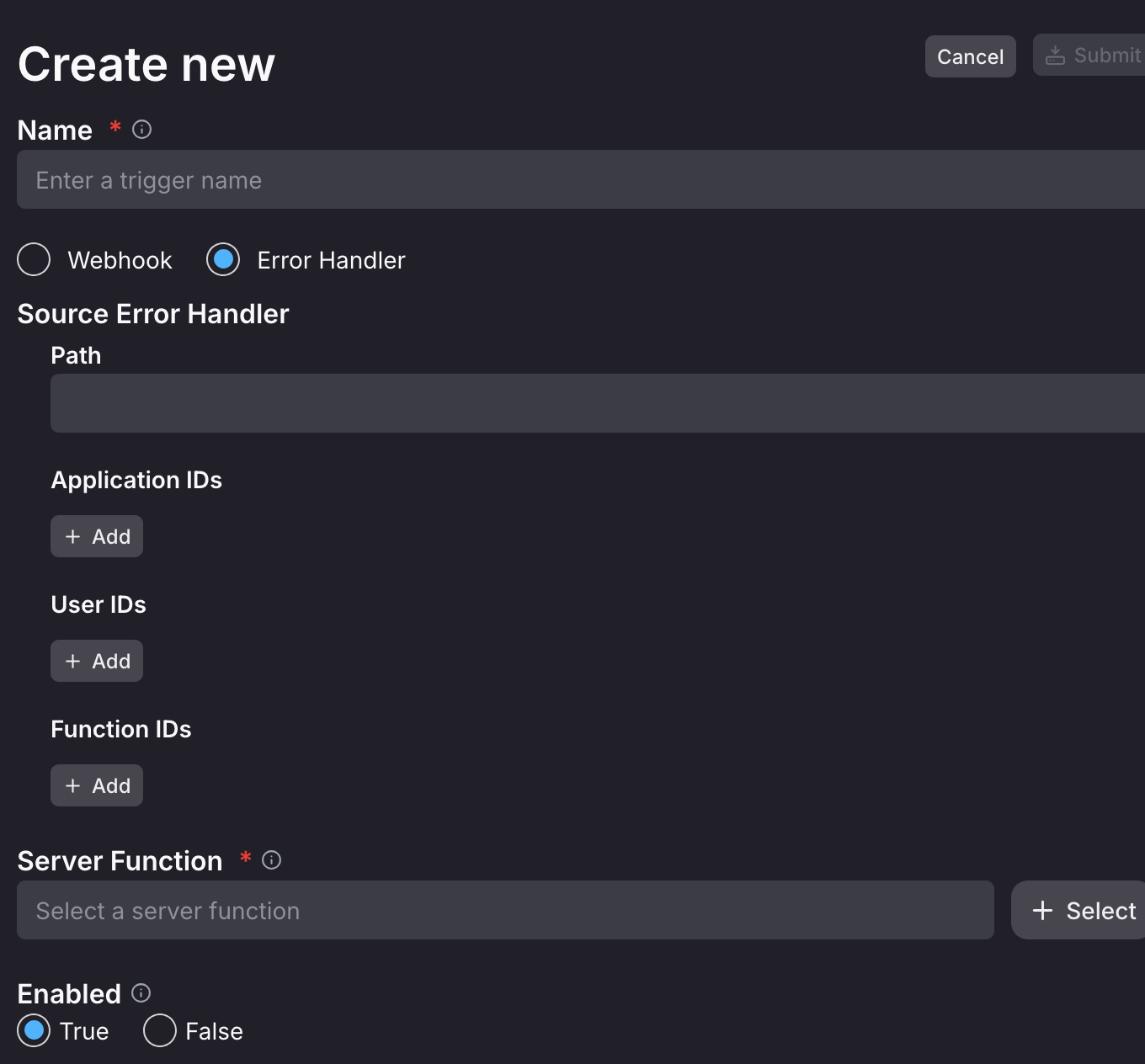
You can now select the source you want to watch for errors.
The source can be a one or a combination of four different things: Path, Application ID, User ID, and Function ID.
The trigger will only fire when all fields match the source of an error. Thus, the more fields you fill out, the more specific the error source will be.
The only exception to this is that Application IDs and User IDs are only checked when the failed execution has an Application ID or User ID. Therefore, if a trigger has one of those filters but the execution does not contain the corresponding field, the trigger will still fire.
To finish creating your Error Handler, select a server function to trigger in response to the error and give your Error Handler a name!
Then click “Create” and you’re all set!